
Configure collection fields on screen and manage multiple signals with Excel.
NAZARE · Equipment & system connections
Different machines. One place for their data.
Connect PLC and CNC signals with records from existing production and quality systems. Choose the fields, verify incoming values, and reuse the same data for monitoring and analysis.
Keep data on siteStart small, expand as needed
What changes on the shop floor
Equipment & system connections
Associate each signal with its machine and give it a familiar name and unit.
Configure buffering and retransmission for connection interruptions, with sampling intervals suited to the equipment and network.
NAZARE
Explore the tools behind your daily operations.
From connections and analysis to maintenance and administration: see what each screen helps you do.
Connect and organize plant data
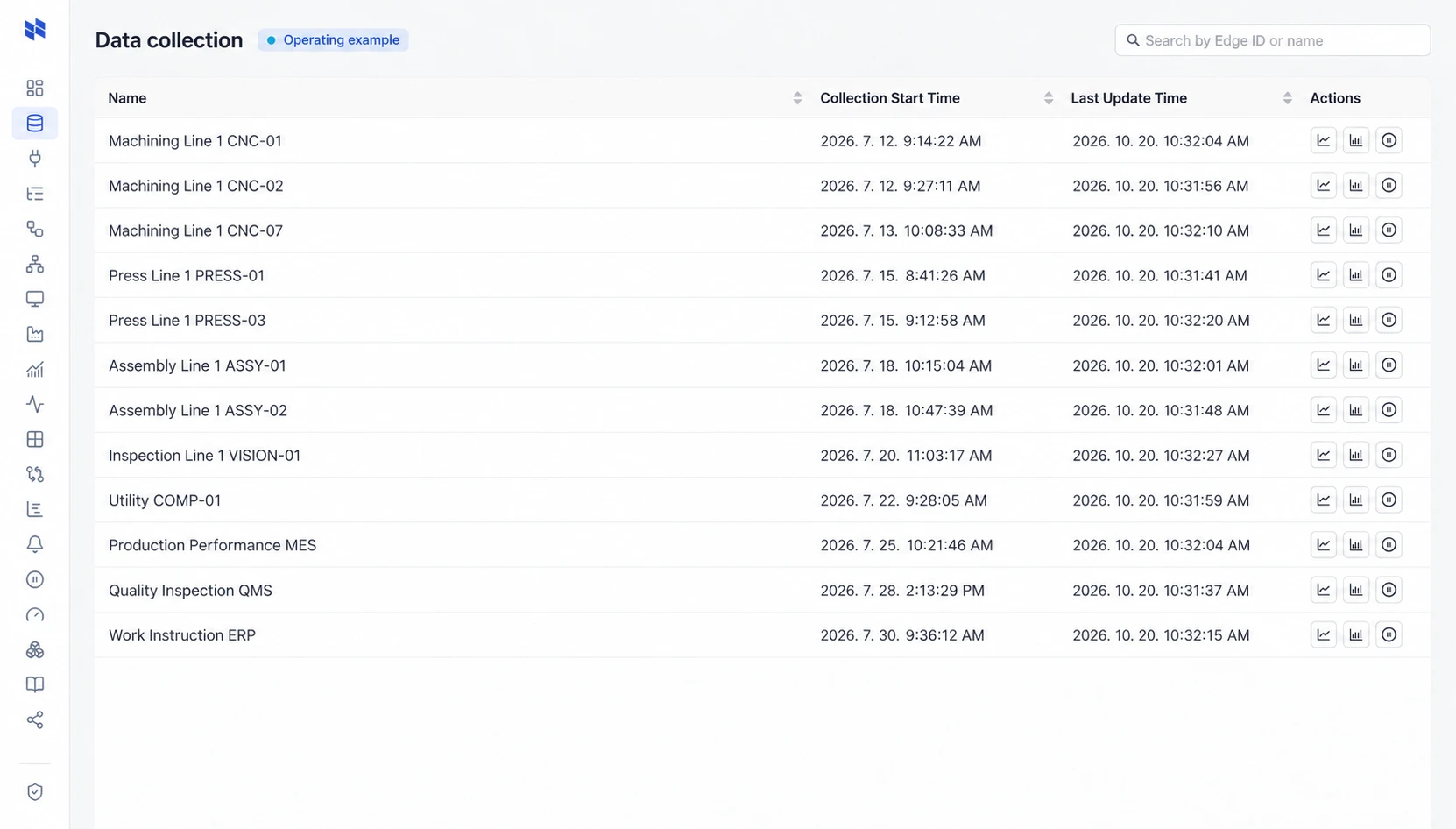
Data collection
Check that connected machines are sending data
Open live signals and stored records from each collection source, including connected production and inspection systems.
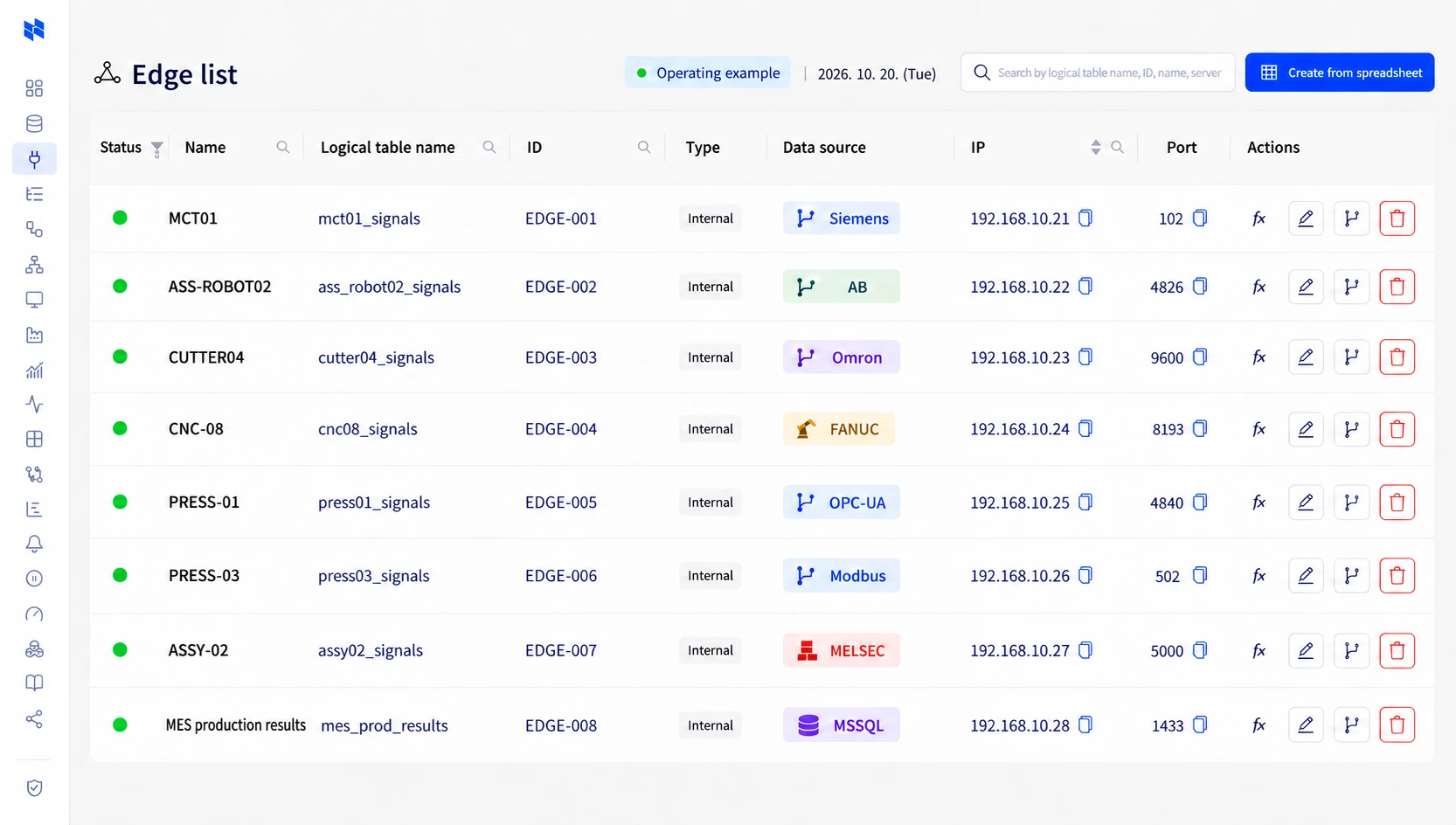
Equipment connection management
Manage connections across different equipment
Connect PLCs and CNCs from Siemens, Mitsubishi, Omron, Allen-Bradley, LS and FANUC through industrial protocol settings. Integrate databases such as Microsoft SQL Server to use data from existing systems as well. Manage signal information and collection fields across machines in one Excel-style spreadsheet.
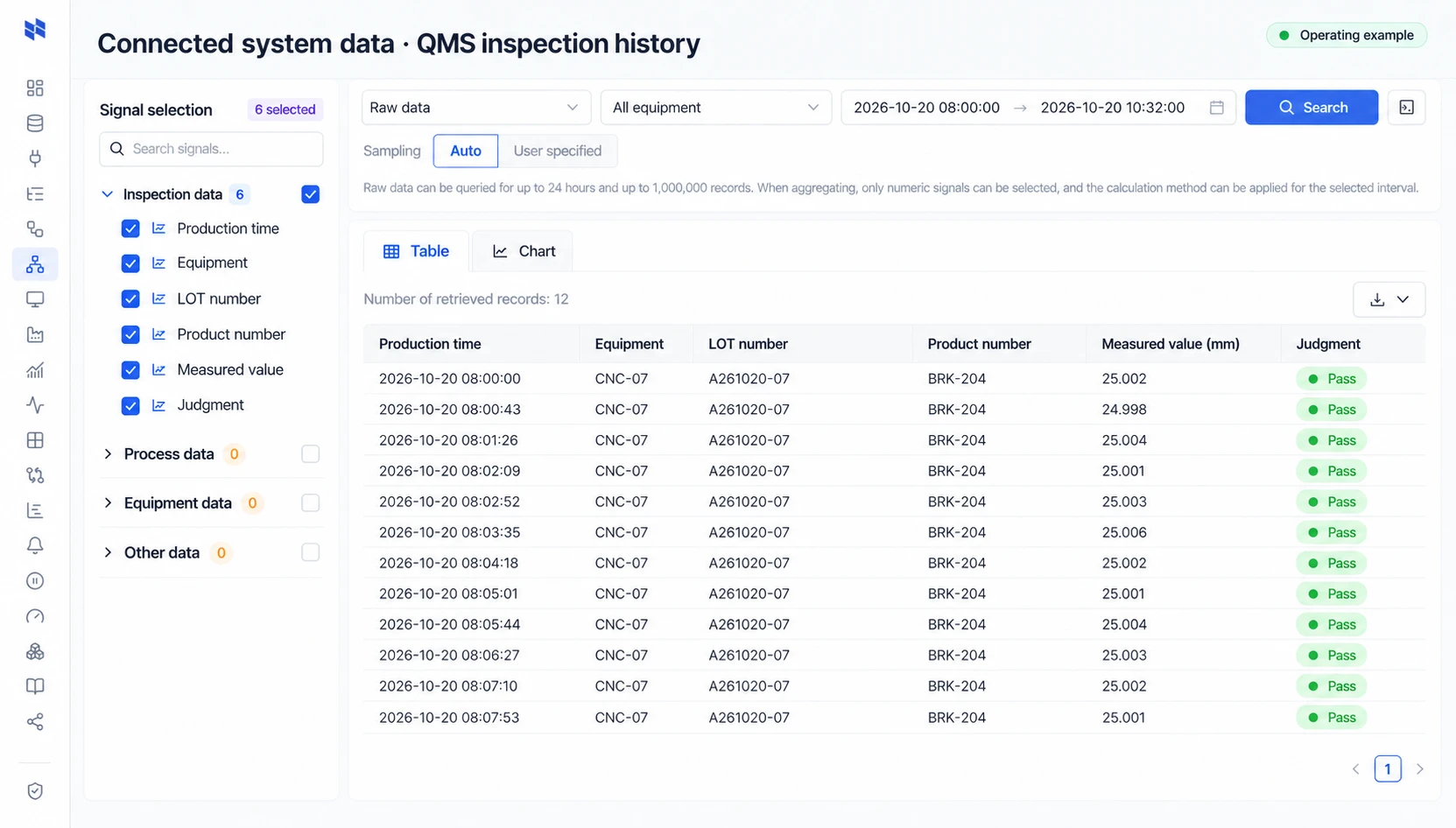
MES · ERP · QMS
Use existing systems
Connect production and inspection records you already manage without entering them again. Select fields and collect changed records to use alongside equipment signals.
Equipment contextConnection & operating details
Representative connections: MODBUS (TCP/RTU/ASCII), MELSEC, FANUC and MSSQL. MES, ERP and QMS connect through available databases, files or APIs. Scope depends on equipment models, controller options and network conditions.
The same data, ready for the next task.
Start together
Tell us what you want to improve first.
Tell us about your equipment, data and priorities to review a path from connection to operations.