
Skip to content
Ingkle

Products

Connect NAZARE and NAVIS to your existing systems.

NAZARE connects equipment, MES, ERP and QMS data. NAVIS uses the same evidence for analysis and response. Explore how the products work with existing systems.

NAZARE + NAVIS

Existing records and equipment signals become AI evidence

  1. 01NAZARE Connect equipment and systems

    Collect PLC signals and MES, ERP and QMS records

  2. 02NAZARE Link production history

    Store and query by product, lot and time

  3. 03NAVIS Analyze causes and responses

    Combine machine condition with production and inspection results

  4. 04NAVIS + NAZARE Approve, execute and verify

    Route approved equipment control through NAZARE

NAZARE

Connect signals to production and inspection records.

NAZARE collects selected fields from existing systems and stores them with equipment data. Query by product, lot and production time to examine process conditions alongside inspection results.

Explore the product capability
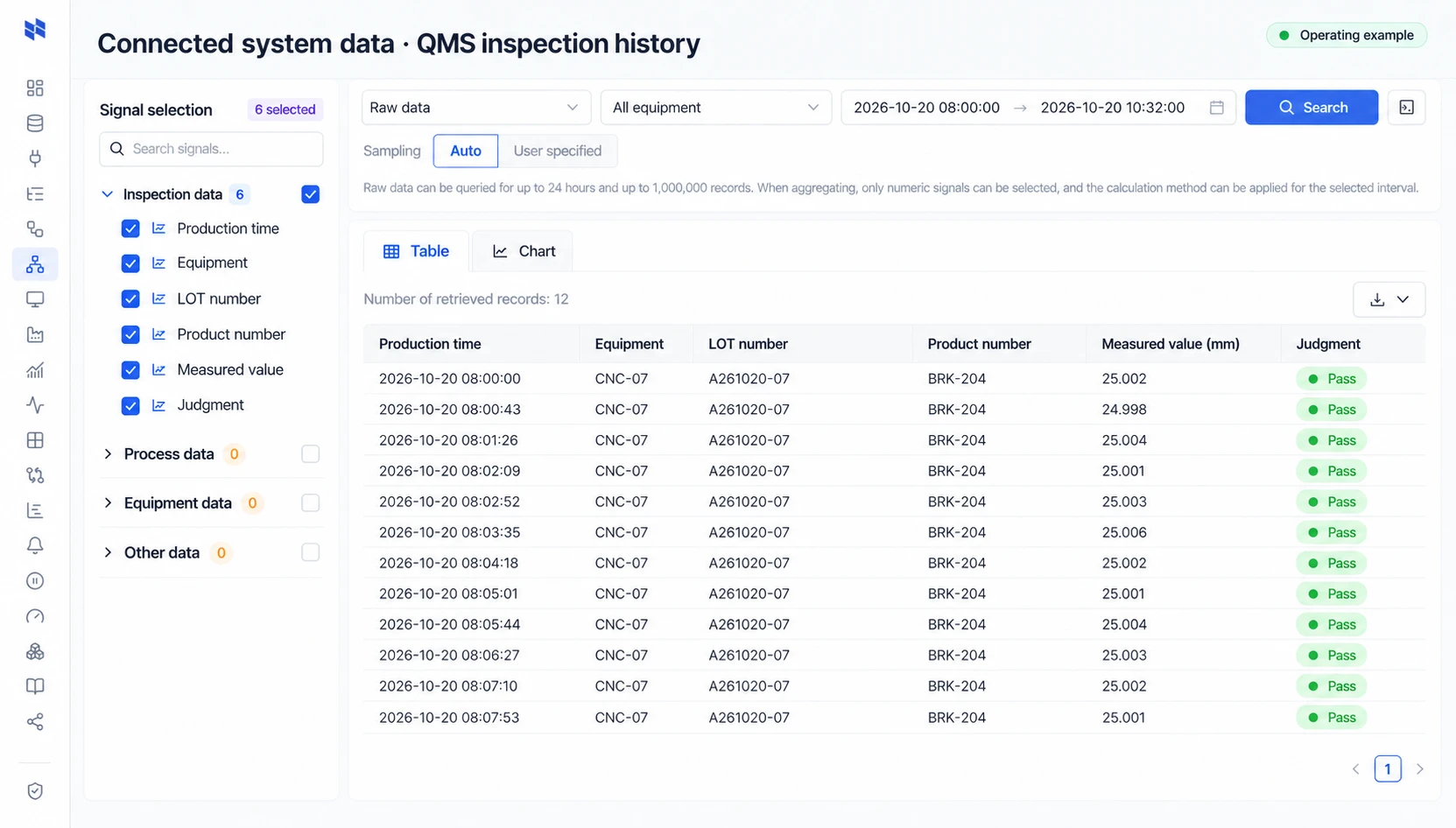
NAZAREInspect connected data
Inspect connected data

NAVIS

One question brings equipment and operational records together.

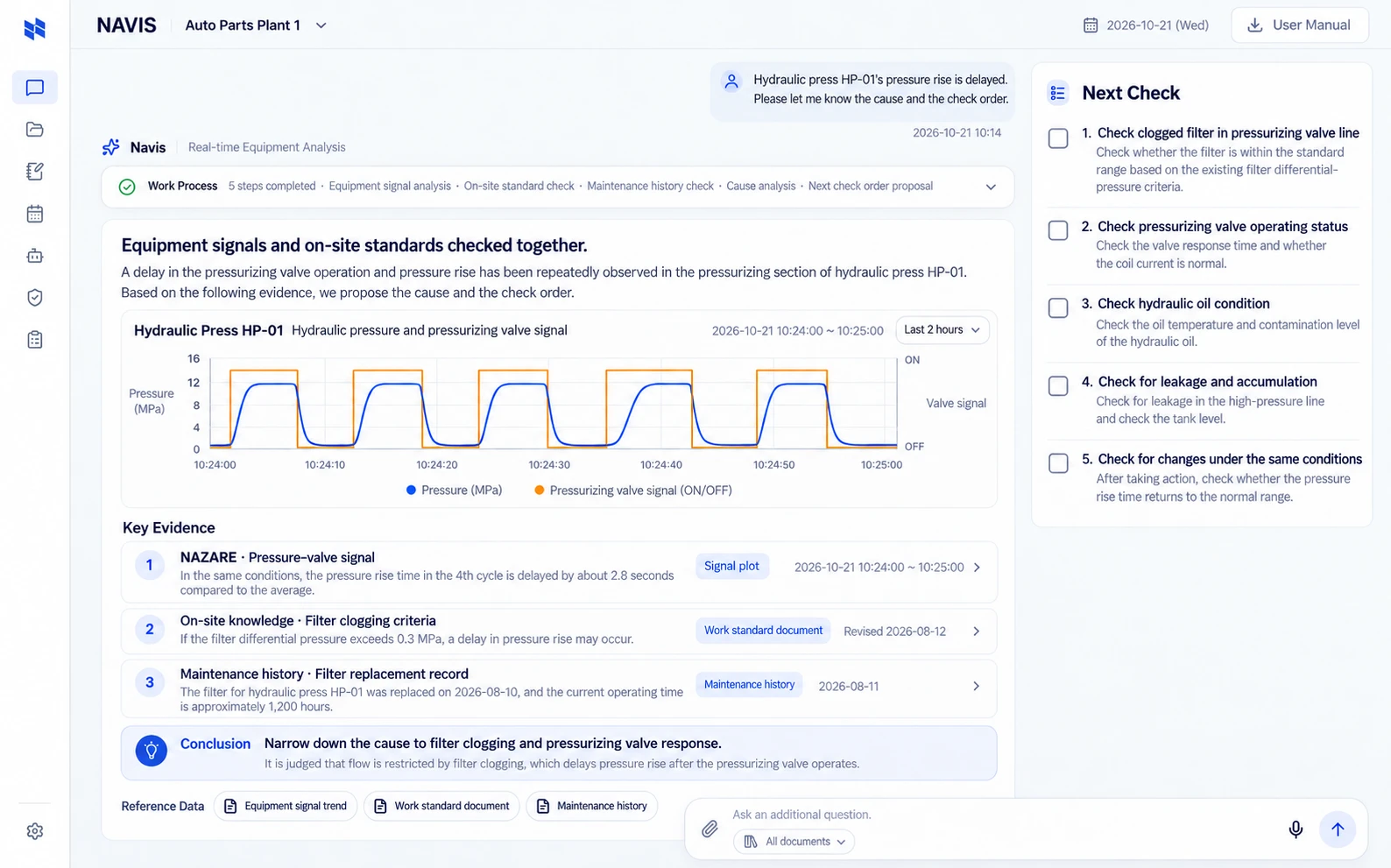
NAVIS uses NAZARE signals and site knowledge together with connected operational records to propose likely causes and response steps. Use existing systems for production and quality decisions, with approval before execution.

Explore the product capability
NAVISAsk & reason
Ask & reason

Details

Scope and considerations

Read equipment signals alongside production and quality records

NAZARE collects and stores equipment signals and existing production and quality records, making them searchable by product, lot and time. NAVIS uses those records and site knowledge to propose likely causes and response steps.

For example, follow a failed inspection back to machine pressure, current and production conditions at the same time. The operator reviews the evidence and approves the response. When equipment control is required, NAVIS sends the approved request to NAZARE, which issues the command to the connected PLC.

Three collection paths

OT: collect PLC, CNC and sensor data. Supported source families include FANUC, MELSEC, Modbus, OPC-UA, MQTT and Socket, with equipment-specific models, options and access checked before connection.

IT: connect MES, ERP, APS and QMS through JDBC, REST APIs or MCP. Agree order, product and inspection identifiers and time conventions.

Unstructured: collect images, audio, video, drawings and instructions, with event-linked datasets. Collection and AI interpretation are separate scopes.

Ways to consume the data

InterfaceUse
REST APIExternal applications and services
JDBC / ODBCBI and existing IT tools
FlightSQL / ADBCLarge query-result transfer
MCP serverAgent data and business context
CSVReview and further analysis

Apply consistent authorization and audit scope across interfaces.

Agree before integration

Agree read methods, frequency, authentication, data contracts and failure behavior with source owners. Changes need separate approval criteria. Prepare samples, test access, network zones and test windows.

AAS integration concerns digital asset representation. AAS, ontology and MCP address asset representation, semantic relationships and tool connectivity respectively.

Start together

Tell us what you want to improve first.

Tell us about your equipment, data and priorities to review a path from connection to operations.

Talk to Ingkle