
Ask & reason
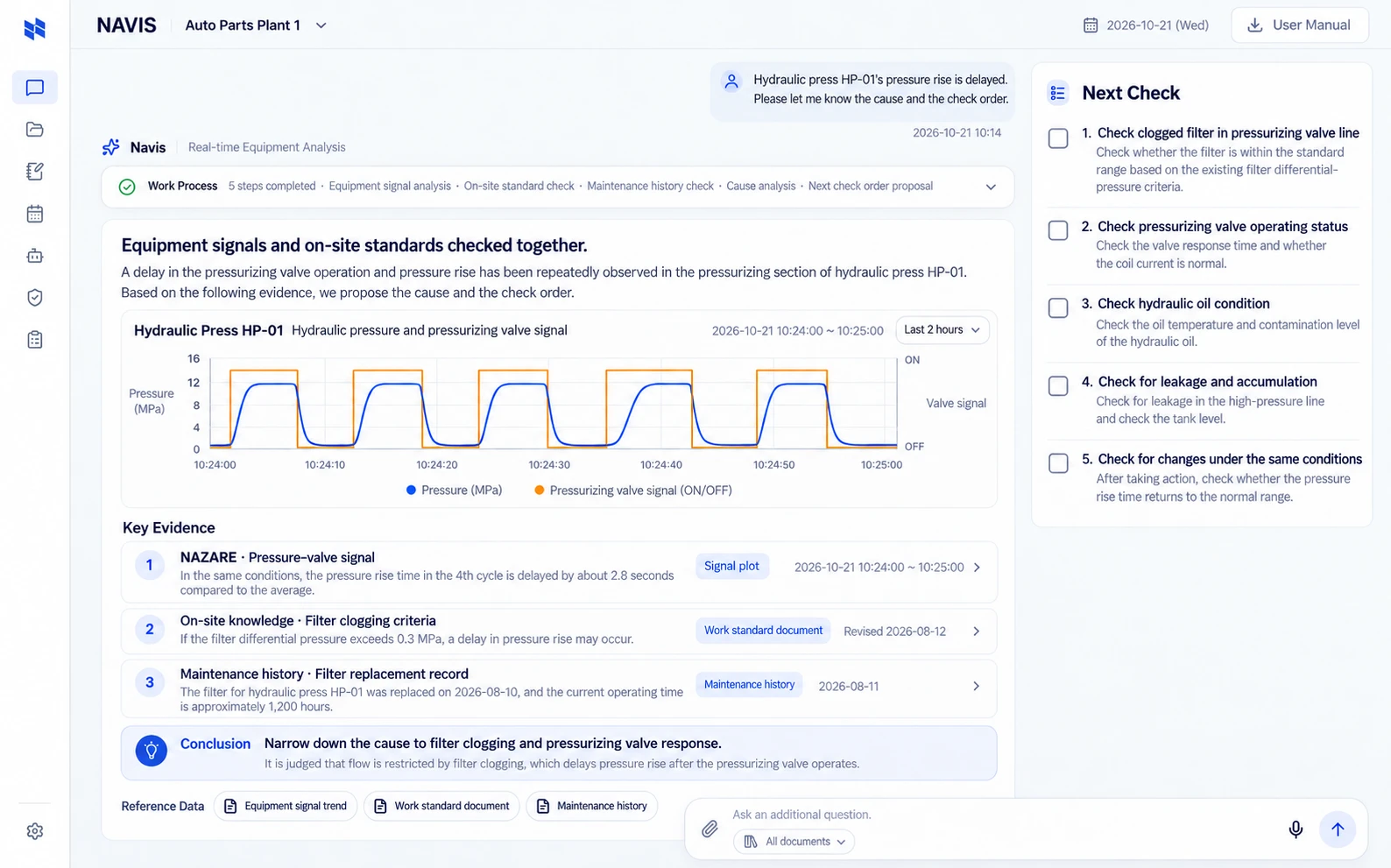
Ask why. Start with the evidence.
Combine NAZARE equipment signals with production, quality and maintenance records from connected systems. Documents and operating knowledge help explain possible causes and the order of checks.
NAVIS · AI agents
NAVIS is a manufacturing AI agent platform that combines equipment data, expert knowledge and business records—from answers and inspection plans to approved autonomous control and outcome verification.
Signals, expert knowledge, production and quality
Compare current conditions, rules and past actions
Act within the approved scope and check the result
Record outcomes and site feedback in NAZARE for the next decision.
NAVIS
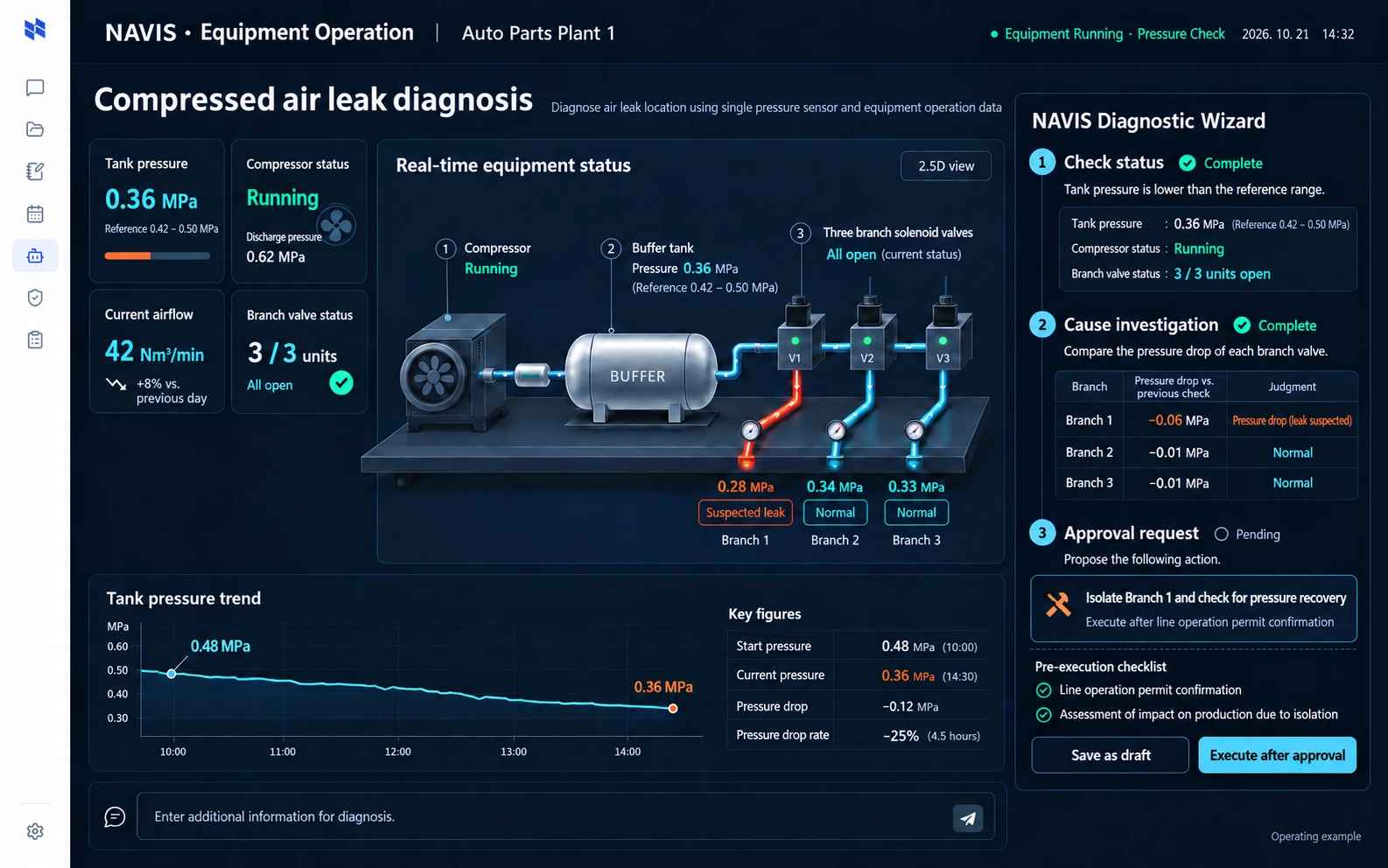
Follow one compressed-air system from falling pressure through diagnosis, approval, execution and verification.
Read tank pressure and valve states from NAZARE, then check equipment relationships, operating criteria and previous actions.
Ask & reason
Combine NAZARE equipment signals with production, quality and maintenance records from connected systems. Documents and operating knowledge help explain possible causes and the order of checks.
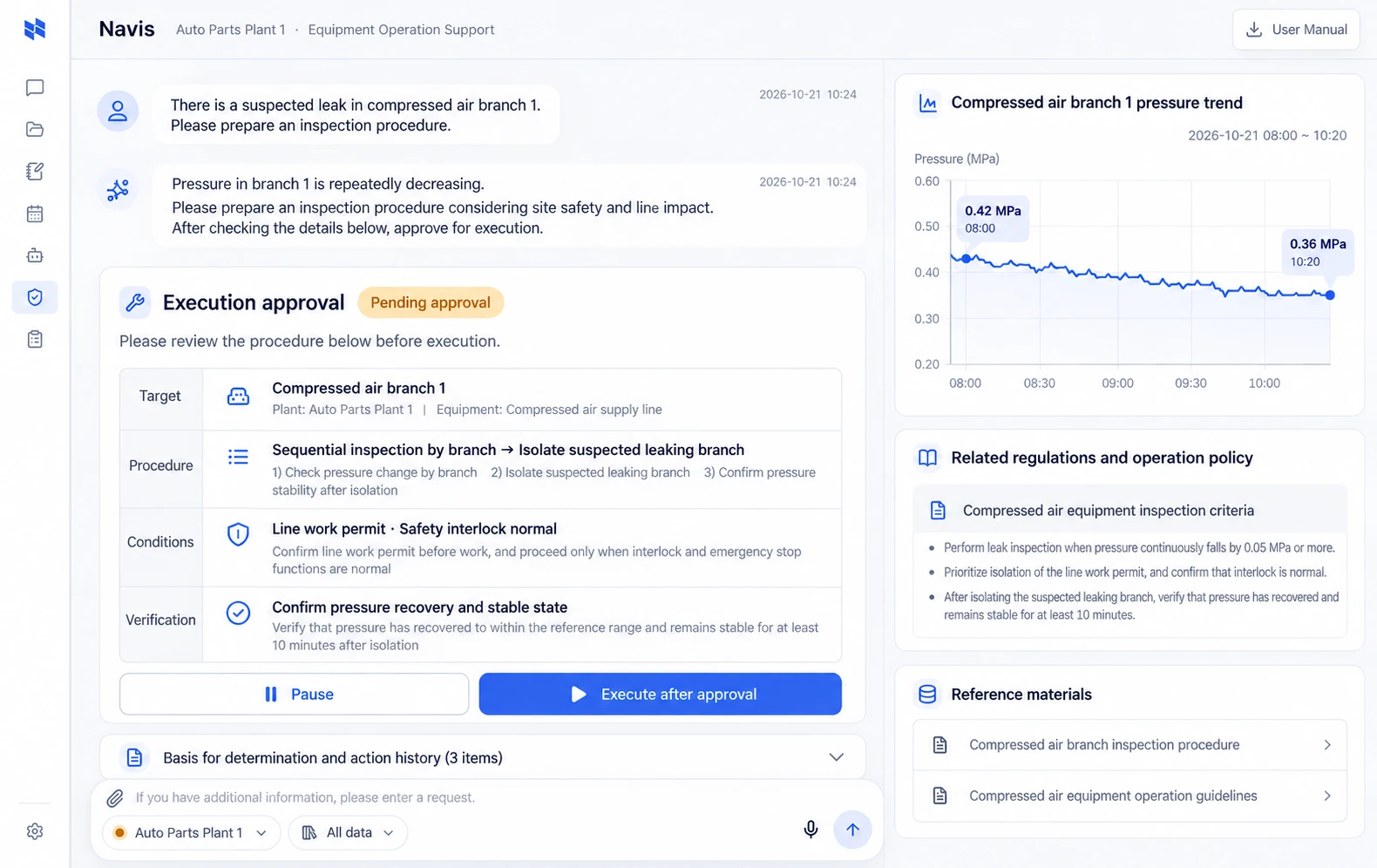
Approval & execution
Review the equipment, evidence, action sequence and verification conditions. After approval, NAVIS requests execution through NAZARE, which sends commands to the PLC within site-defined limits and interlocks.
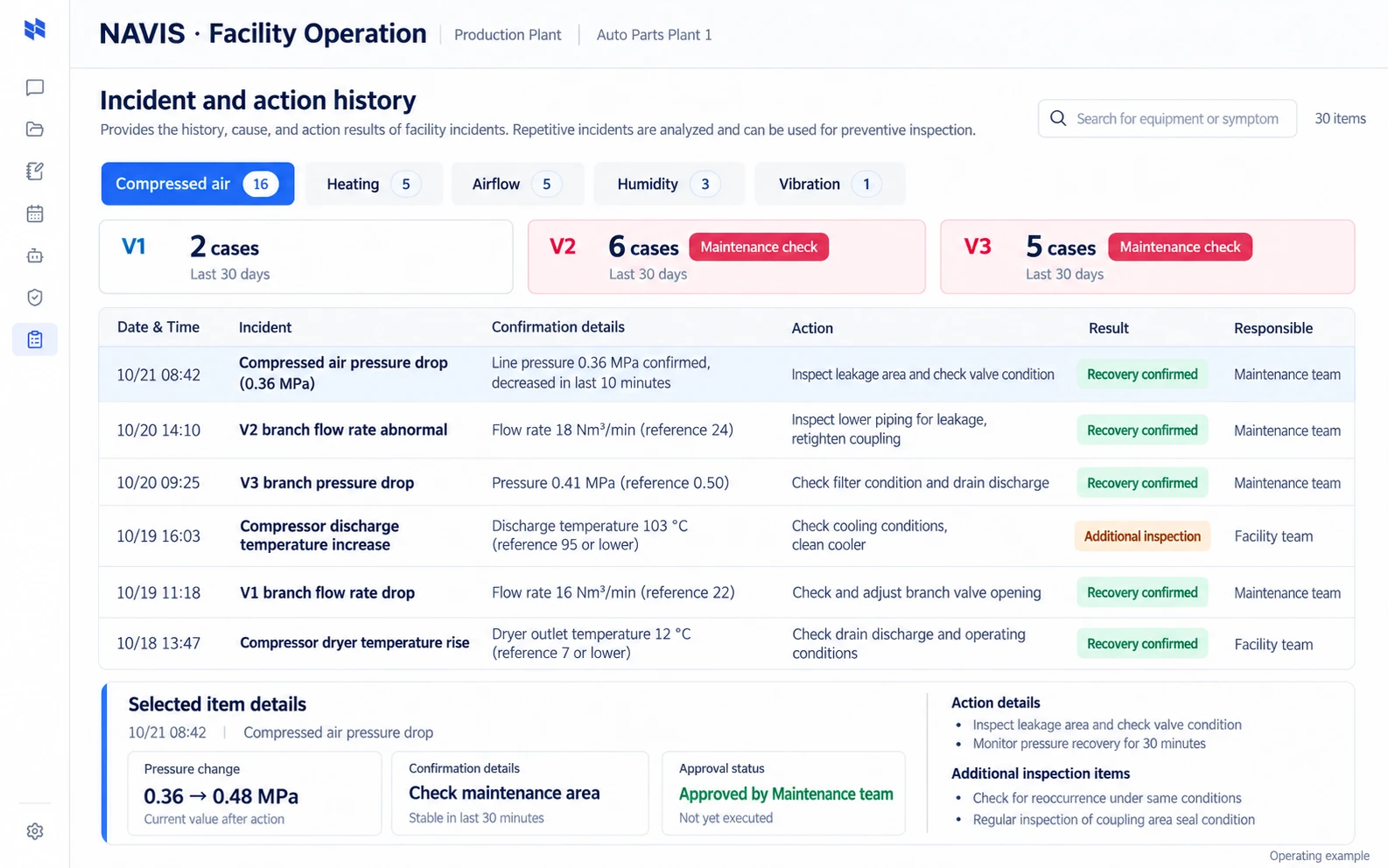
Incident & action history
Check command results and subsequent machine state separately. Preserve causes, actions, recovery and recurrence as evidence for future decisions and maintenance reviews.
NAVIS · Application workflows
Read signals, narrow causes using relationships and rules, and verify approved actions. These illustrative scenarios are configured for each site’s signals, operating criteria and control scope.
01 · Compressed-air leak diagnosis
Data considered togetherTank pressure · pump state · branch valves
Use piping relationships and branch pressure changes to narrow the suspected leak location.
After work authorization and safety checks, run the approved diagnostic and isolation procedure.
Check pressure recovery and stability, then retain recurrence history.
02 · Heating-process diagnosis
Data considered togetherMain/auxiliary temperature · heater output · inlet valve
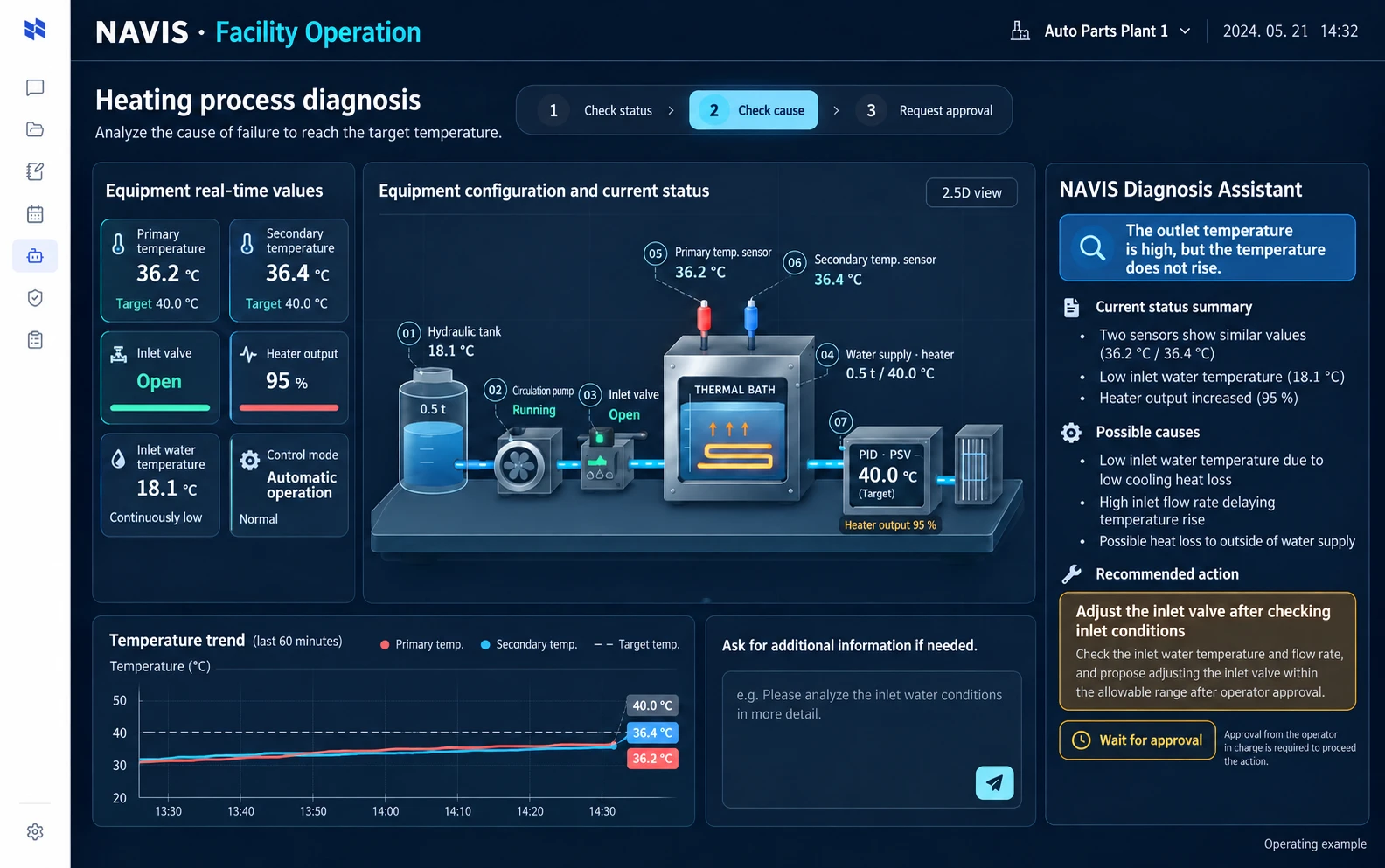
Compare both sensors and inflow to distinguish sensor, inlet and heating causes.
Request approval for a cause-specific check or valve adjustment instead of blindly raising output.
Recheck return to the setpoint and agreement between sensor trends.
03 · Airflow & power management
Data considered togetherAirflow · blower speed · damper position · power
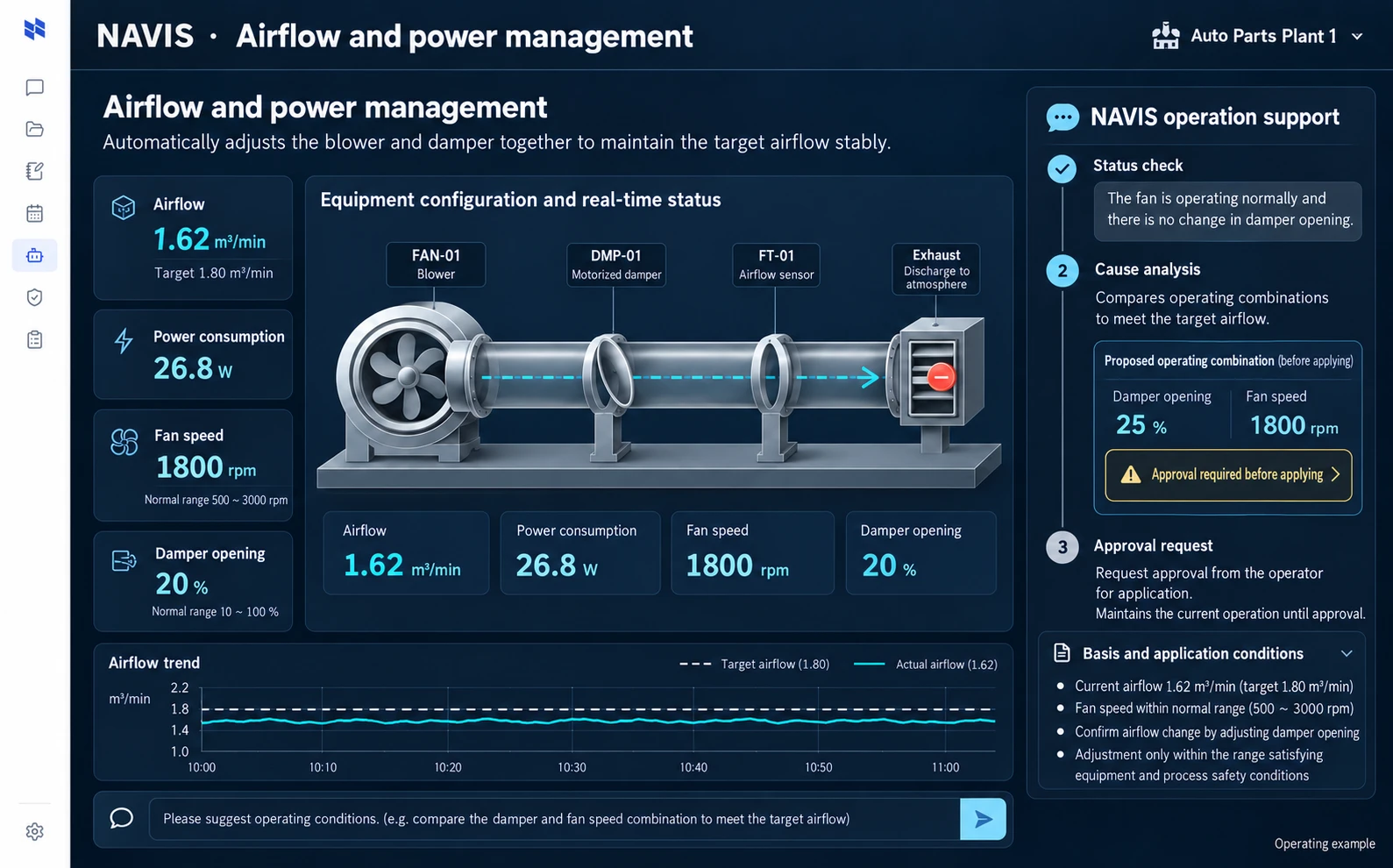
Distinguish speed, damper and restriction changes, then compare combinations that meet the target.
Propose speed and damper changes within permitted limits, then apply after approval.
Verify airflow and power together to inform subsequent operating choices.
04 · Temperature & humidity management
Data considered togetherIndoor/outdoor temperature and humidity · dampers · fans
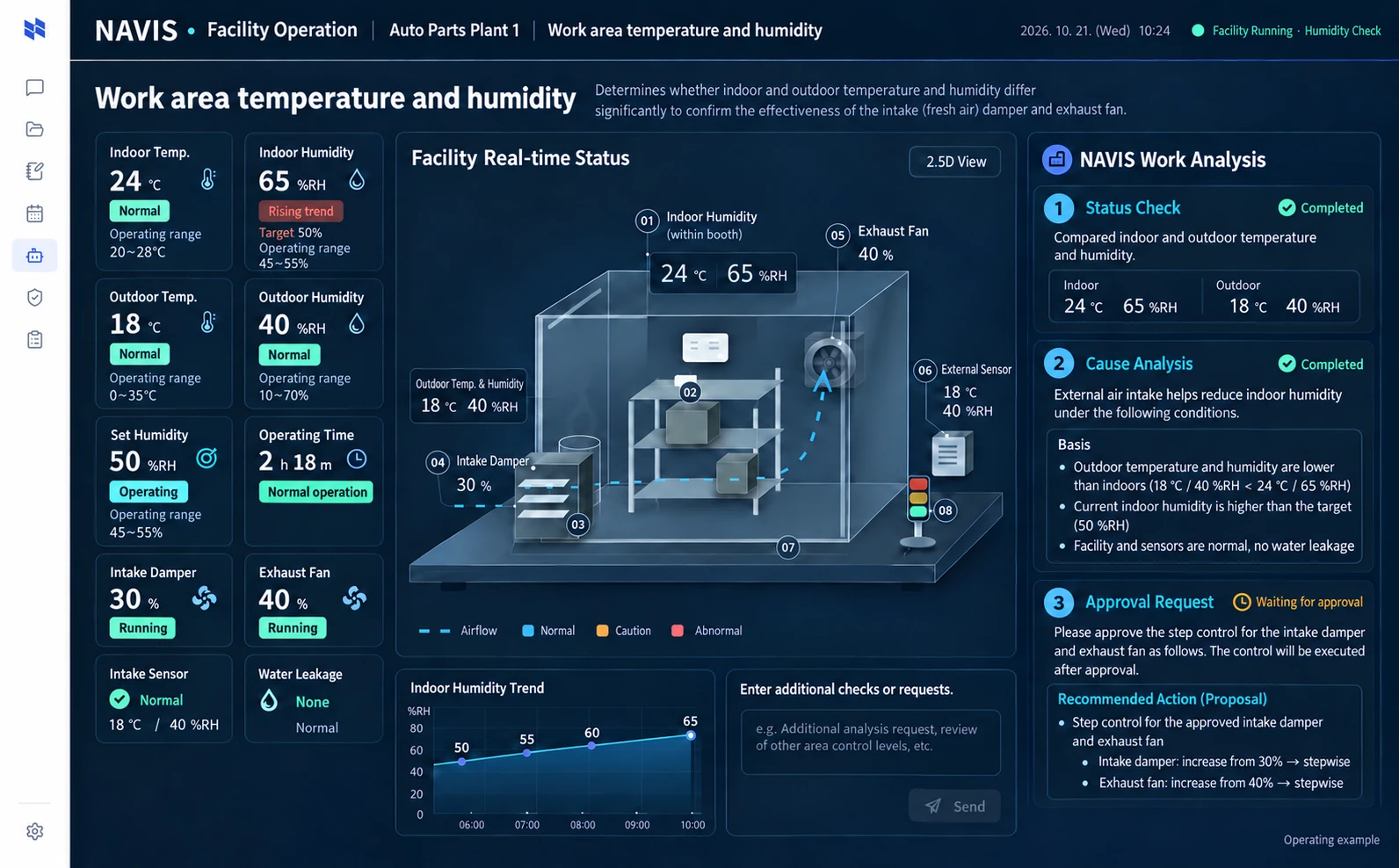
Compare indoor and outdoor temperature and humidity to assess whether ventilation will help.
When safety conditions and approval are satisfied, adjust supply and exhaust in stages.
Check return toward target humidity and hold adjustments when conditions are unsuitable.
05 · High-resolution vibration analysis
Data considered togetherRaw vibration · speed · operating conditions · maintenance
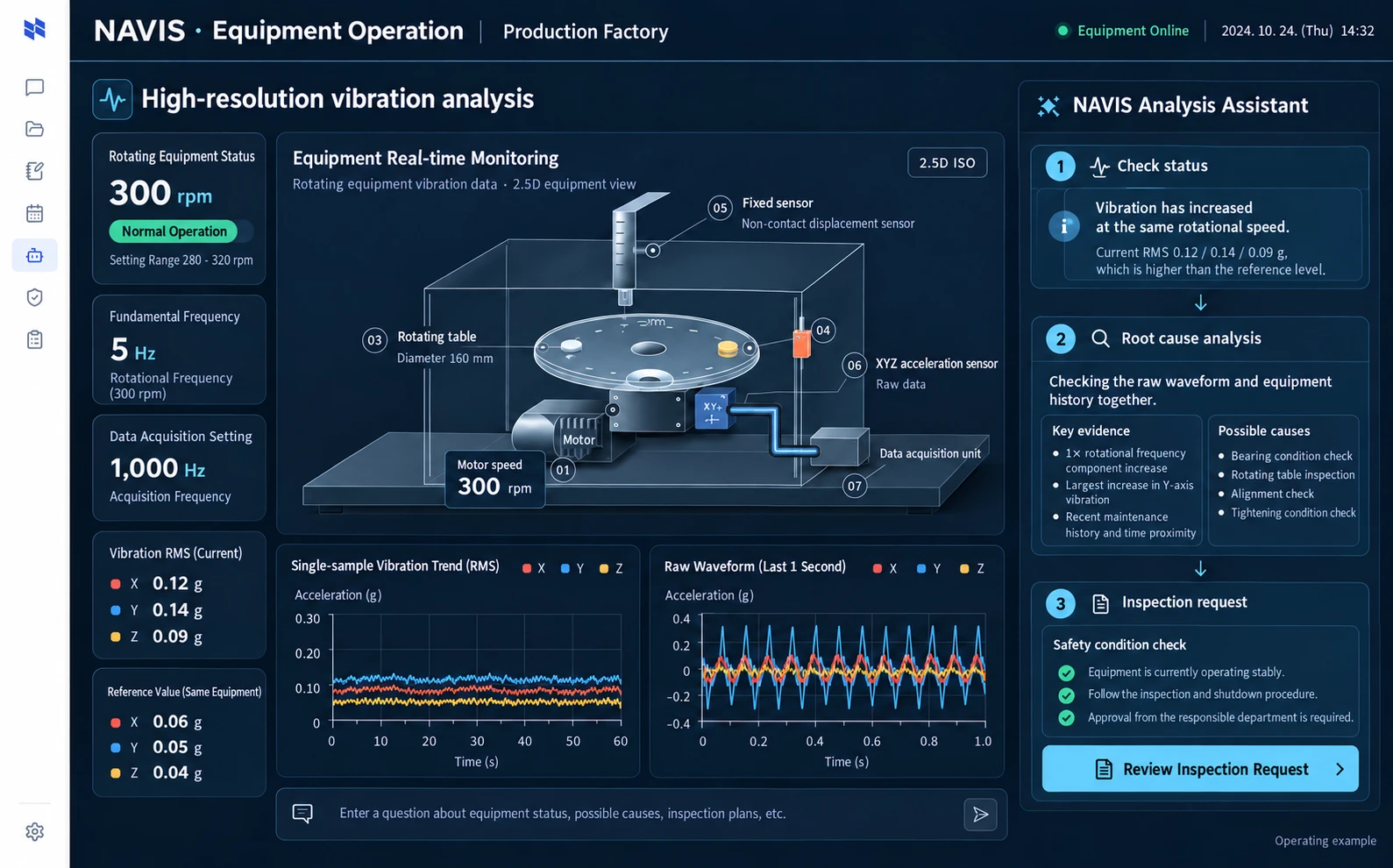
Compare raw waveforms against reference records under matching conditions. Equipment-specific detection models can be added when needed.
Explain possible causes and checks. Any control follows separately defined limits and approval procedures.
Preserve detailed before-and-after data to compare recurrence and improvement.
Start together
Tell us about your equipment, data and priorities to review a path from connection to operations.